Navigating Data: Exploring Creative Elements in Dashboard Design
DATA VISUALIZATION · INFORMATION DESIGN · DASHBOARD DESIGN · RESEARCH
A research-led project exploring how dashboard design principles, visual hierarchy, chart selection, and color theory can make complex data easier to understand, compare, and act on.
Role:
UX/UI Designer
Focus:
Data Visualization
Output:
Digital Design Guide
Tool:
InDesign, Miro

CHALLENGE
PROBLEM #1
Cluttered layouts hide key metrics.
Too much information in one view can overwhelm users and make important data harder to notice.
PROBLEM #2
Poor hierarchy slows users down.
When important data points are not visually prioritized, users struggle to understand what needs attention first.
PROBLEM #3
Misleading visuals reduce clarity.
Poor chart selection, inconsistent colors, or unclear labels can lead to confusion and wrong interpretation.
PROBLEM #4
Color reliance hurts accessibility.
Relying too much on color can make dashboards harder to read for some users.
PRINCIPLES
The project translated dashboard design research into practical principles for making complex data easier to read, compare, and understand.
01 Reduce complexity
Break dense dashboard information into smaller, easier-to-read sections.

02 Guide attention
Use hierarchy, spacing, and contrast to make important information visible first.

03 Choose visuals carefully
Match each chart type with the data, task, and user need.

04 Design beyond color
Use labels, contrast, and structure to support readability and accessibility.

PROCESS
The process started with mapping the project scope, users, and expected outcomes. From there, the work moved through literature review, dashboard analysis, framework development, and the creation of a practical design booklet.

01 Literature
Review
Studied dashboard design and visualization principles.
02 Dashboard Analysis
Reviewed dashboards to find clarity issues.
03 Design & Prototyping
Created clearer layouts from sketches and wireframes.
Compiled the findings into a design booklet.
04 Final
Guide
FINAL GUIDE

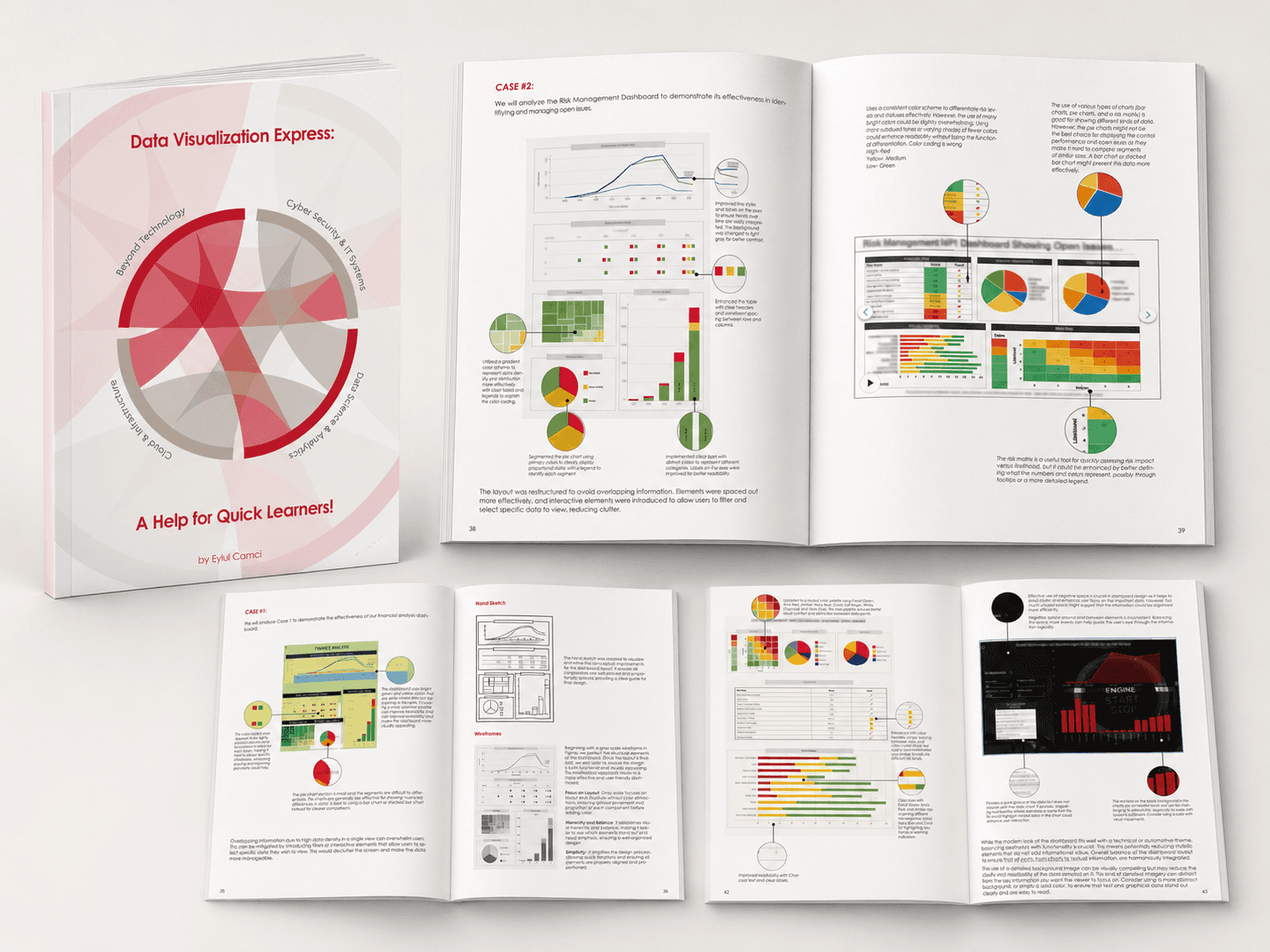
The final output was a digital design guide called Data Visualization Express. It brings together dashboard design principles, chart selection, color theory, and practical case study examples into one clear reference.
01 Quick Reference- Designed for fast learning and practical use.
02 Visual Examples- Annotated pages connect theory with design decisions.
03 Practical Takeaways- Research translated into simple, usable guidelines.
*Flip me
OUTCOME
The outcome was a practical visual guide supported by dashboard redesign examples, showing how layout, color, and chart decisions can improve readability.
Case 01 Financial Dashboard
Improved spacing, clearer labels, and stronger visual hierarchy
Case 02 Risk Management Dashboard
Refined color coding, clearer risk levels, and better chart readability.
Case 03 Interactive Dashboard
Cleaner layout, improved contrast, and more usable filtering elements.
REFLECTION
This project helped me understand dashboard design as more than making data look visually appealing. Every layout, chart, label, and color decision affects how people read, trust, and use information.
The biggest learning was turning theory into something practical. Instead of keeping research as abstract design knowledge, I translated it into visual examples, redesign decisions, and a guide that can support future dashboard projects.
It also showed me that good data visualization is not about adding more elements, but about removing confusion and helping users focus on what matters.