HR Skill Matrix
UX/UI DESIGN · INTERNAL TOOL · HR TECH · DATA ORGANISATION
An internal skills management tool designed to help teams search, filter, and compare employee skills across departments, locations, and profiles.
Role: UX/UI Designer
Context: Internal HR
Tool
Platform: Web /
Power Apps
Tool: Figma,
Power Apps
CHALLENGE
#1 Fragmented Skill Data
Employee skill information was spread across departments, locations, and separate records, making it difficult to access from one place.
#2 Limited Visibility Across Teams
Managers and team leads lacked a clear overview of available skills, expertise levels, and employee capabilities across the organisation.
#3 Inefficient Search and Comparison
Finding the right person for a specific skill, department, or location required too much manual effort and made comparison difficult.
INSIGHTS
Skill Visibility
Filter & Search
Profile Structure
Data Organisation
Team Comparison
The project revealed that internal users needed more than access to employee skill data. They needed a clearer way to search, filter, and compare information across people, departments, and locations.
#1 Clearer Skill Visibility
Organise skill data so users
can quickly understand
expertise across
people and teams.
#2 Faster Search and Filtering
Reduce manual effort by
helping users find relevant
people through search
and filters.
#3 Better Comparison
Make skills, profiles,
departments, and locations
easier to compare
in one connected system.
PROCESS
The process followed a Double Diamond structure, moving from understanding fragmented skill data to designing a clearer internal tool for search, filtering, profile review, and comparison.

User Flow

The user flow connects location, department, people, and settings through one central home page. Search and filtering paths guide users from broad skill data to results and detailed profile pages.
Wireframes
Early wireframes explored the core structure of the tool, focusing on the home page, search results, employee profiles, and department-based skill views.

Home Page:
Main entry screen with quick search,
recent searches, and employee cards.

People Search:
Search screen for finding employees
through name, department, location, or skill inputs.

Employee Profile:
Profile screen showing skills, languages,
team, and location details.

Search Results:
Results view for comparing matching
employees in a structured list.
SOLUTION
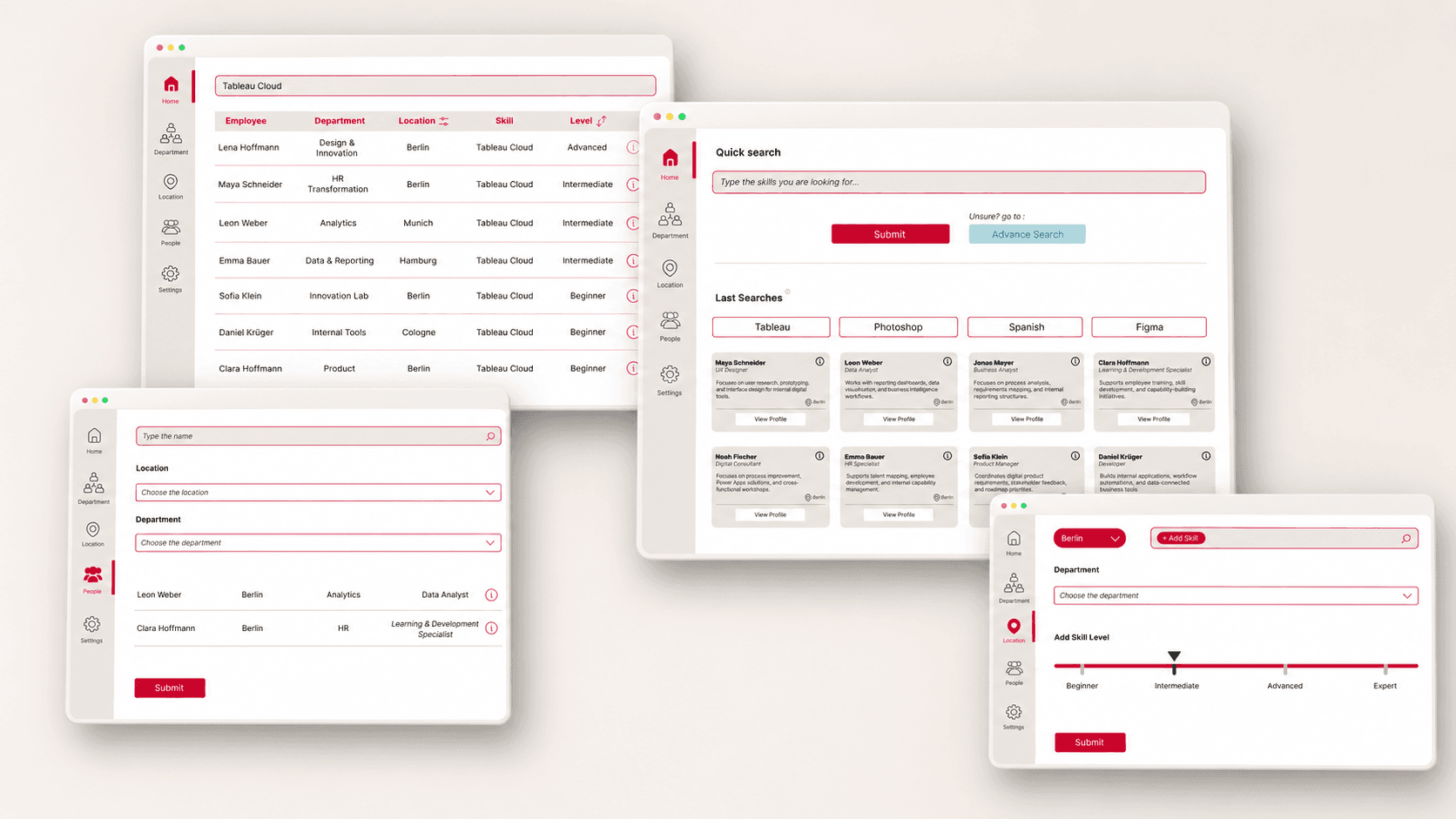
The final interface combines search, filtering, result views, and profile pages in one internal HR tool. It helps users move from broad employee data to specific people, departments, locations, and skills more efficiently.


A filtered search view for finding employees by
name, location, department, or role.

A department-based filtering screen
for exploring skills within specific teams.

Structured result view for comparing employees by department, location, skill, and level.

A location-based filtering screen for
reviewing skills across offices or regions.
A location-based filtering screen for
reviewing skills across offices or regions.

The profile page brings employee skills, team details, and language information into one clear overview.
OUTCOME
The final interface brings search, filtering, department views, location views, and employee profiles into one connected internal tool. The system was designed to help users move from broad organisational data to specific skill information without switching between separate records.
Centralised Skill Visibility
Employee skills, locations,
departments locations, and
profiles are brought
together in one
structured interface.
Faster Internal Search
Search and filtering
patterns help users find
relevant people and skill
information with less
manual effort.
Clearer Comparison
Profile and overview
screens support
easier comparison across
employees, teams, and
organisational areas.
REFLECTION
HR Skills Matrix helped me understand how clarity and structure shape the usability of internal tools. The project was less about creating a visually expressive interface and more about making complex employee data easier to search, compare, and act on.
Working on the tool pushed me to think more carefully about information architecture, filtering logic, and profile-based navigation. It also reinforced my interest in designing systems that support decision-making by turning scattered information into clearer, more usable workflows.
